
Creating a new menu is a fairly straightforward process. Whether you want this new menu to appear on the frontend of your site or not, you can create it easily using the Administrator end of your Joomla site.

This will initiate the creation of a new menu.
To start, you will need to navigate to Administrator > Menus > Menu Manager > Add New Menu to initiate the creation of a new menu.
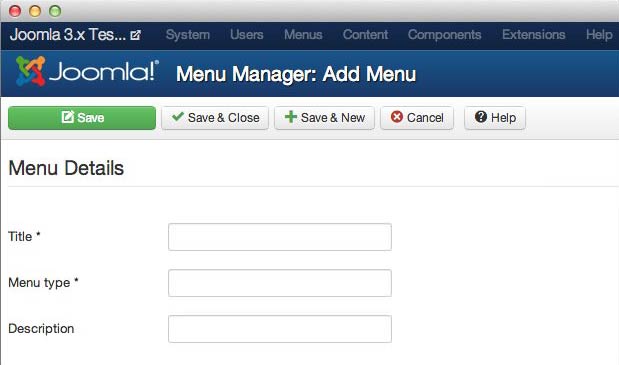
Next, you will need to fill out the Menu Details page to give your menu a title, type designation, and description .
The Title you set for the menu will appear in the Administrator Menubar and lists.
The Menu Type field sets the system name for the menu.
The Description field is where you describe what your menu does. It can be a useful personal reminder or indicator during collaborative site builds.
Once you are done filling out at least the Title and Menu Type, click either Save or Save and Close to create your new menu. You can also choose (Save + New) if you wish to create more than one menu.
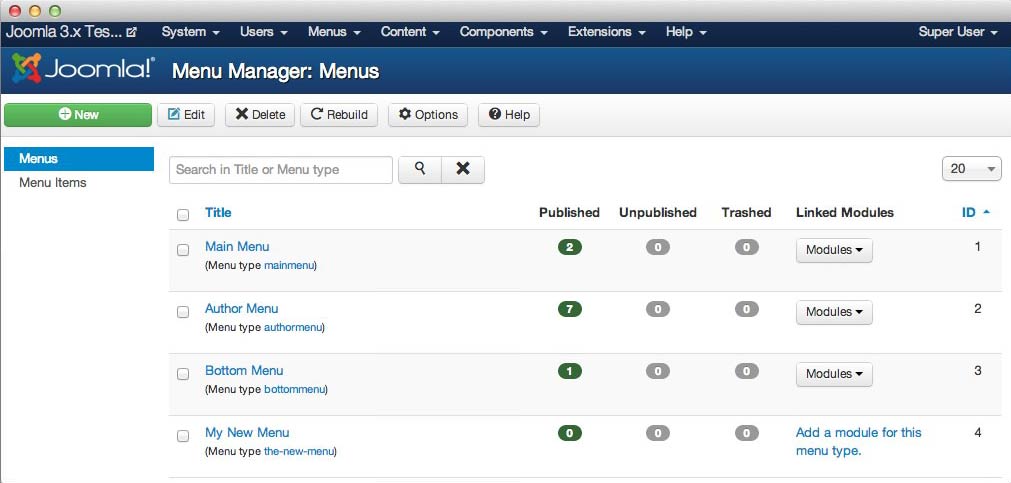
Once you have saved your new menu, it should appear in the Menu Manager . This is also the page you will use to edit and manage your new menu.