
Log into the back-end of your site (www.your-site.com/administrator/)
Click on: Extensions -> Extension Manager
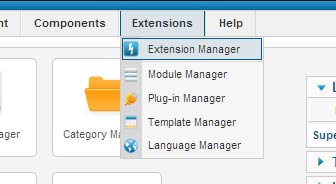
You see the page "Extension Manager"
From here you can install your Templates, Plugins, Modules, Components and Languages. You have three options:
- Upload Package File - (select a package from your PC, upload and install it)
- Install from Directory - (enter the path where the package is located on your server)
- Install from URL - (enter the URL to the package)
Here, we choose the first method: Upload Package File
Select the package from your PC and click the button "Upload File & Install"

If the package contains no errors you are done and get a success message like the one below.
